Instructions
Anki flashcards instructions
Everything you need to install the Anki app, import your flashcards and start learning straight away. Open the section for your device. If something does not behave, the questions at the bottom cover what comes up most.
What is Anki?
- Anki is a program that makes remembering things easy.
- It uses active recall and spaced repetition.
- It handles media, including pictures and audio.
- It runs on the device you prefer: iPhone, iPad, Mac, Windows or Android.
- Anki is free.
- Free on Mac, Windows, Linux and Android, and free in any browser through AnkiWeb.
- Paid versions and subscription models exist. None of them are needed for the decks in this shop.
Download and install Anki on your Mac or PC
- Go to apps.ankiweb.net.
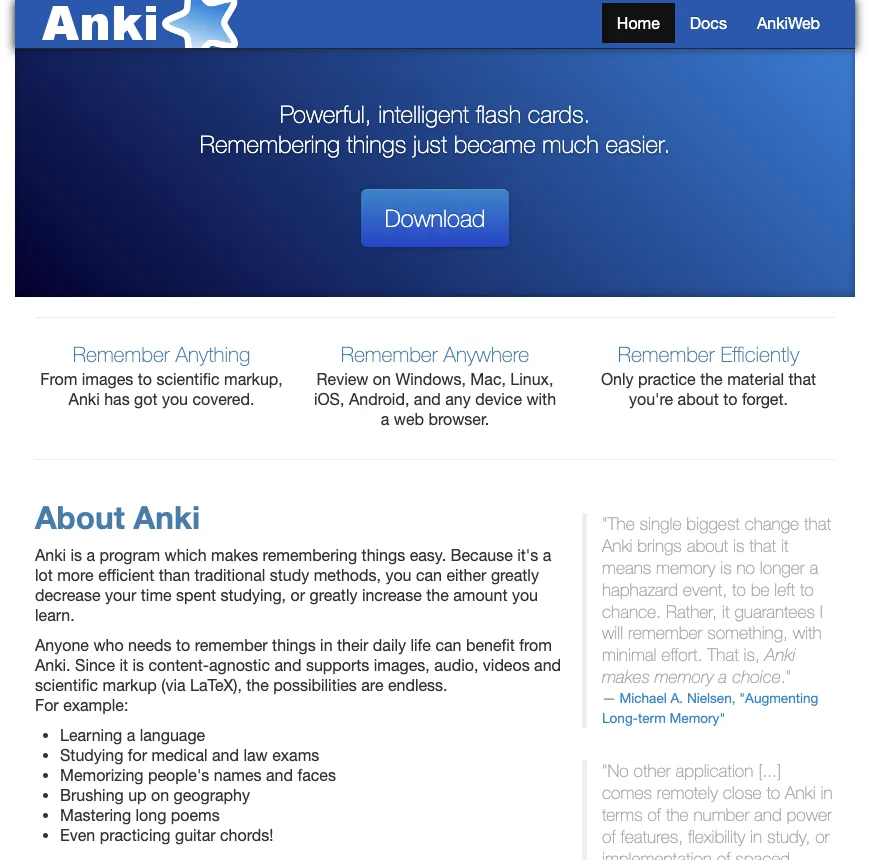
- Open the Download section, choose Mac or Windows, and click Download.
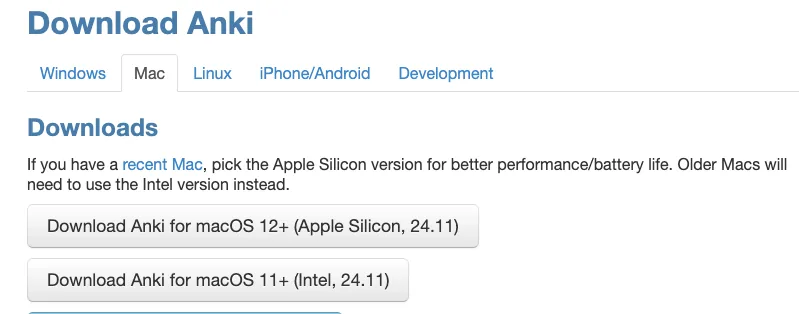
On an Apple Silicon Mac, take the Apple Silicon build.
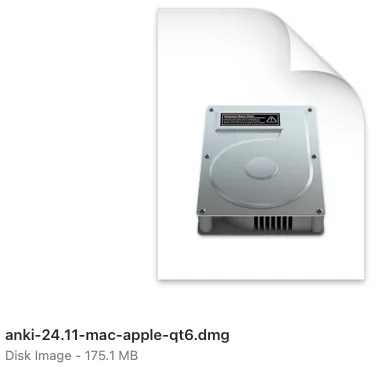
- Double-click the .dmg file you downloaded.
- Drag Anki.app into your Applications folder.
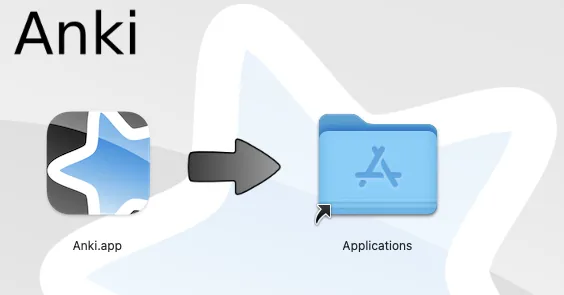
Anki is installed.
Download and install SuperMCard on your iPhone or iPad

SuperMCard is the free iPhone and iPad app that reads the same deck files. The official AnkiMobile app costs $24.99 and is not necessary.
Instructions
- On your iPhone or iPad, open the App Store.
- Search for SuperMCard, or open
the listing directly.
The same app is also listed as Anki APP-FlashCards Quizlet.
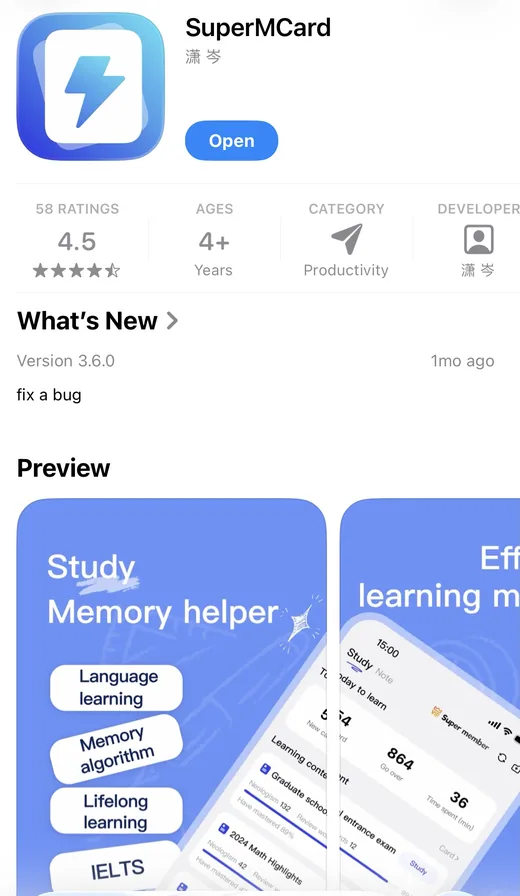
- Tap Get to install it. The app is free, on both iPhone and iPad.
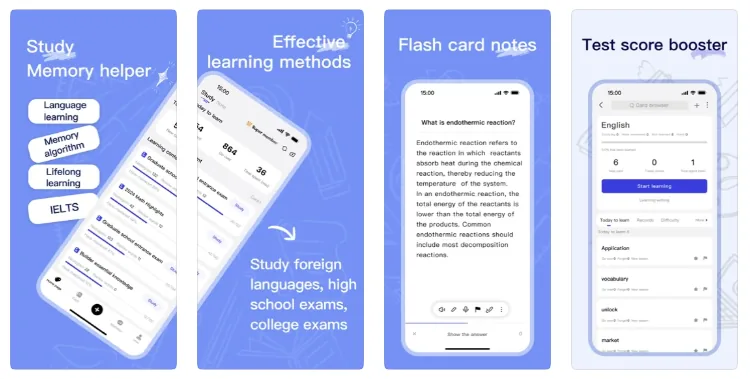
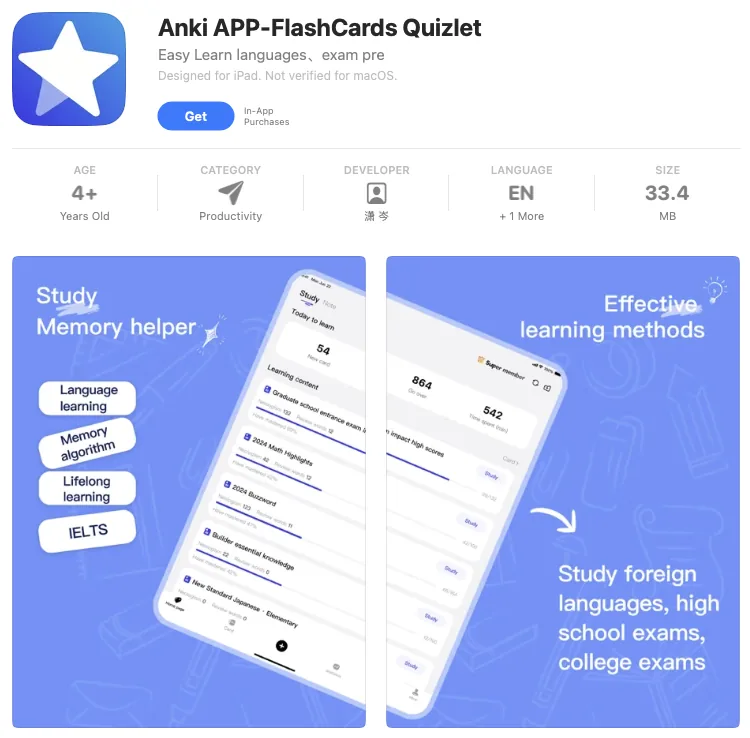
The app is installed.
SuperMCard is made by a third party, not by the Anki team. If you would rather have the official app, search for AnkiMobile Flashcards instead. Either one imports the deck.
Download and install Anki on your Android phone
- Open the Google Play Store and search for
AnkiDroid Flashcards, or open
the listing directly.
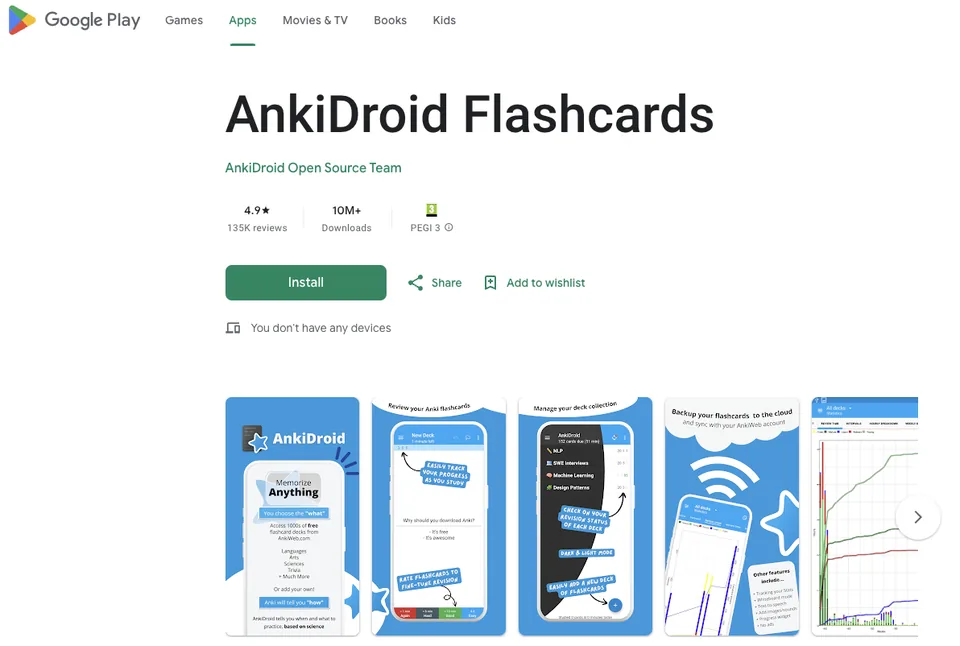
- Tap Install. AnkiDroid is free.
Anki is installed.
Import the flashcards on your Mac or PC
Option 1: double-click the file
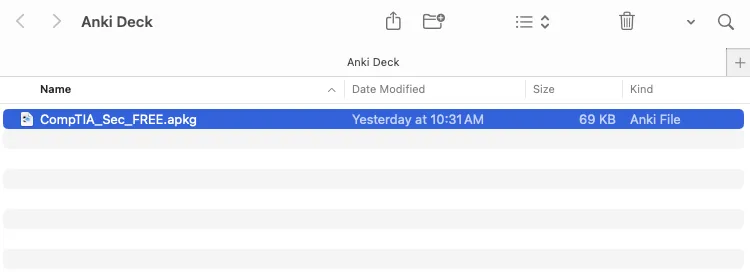
- In Finder, double-click the flashcards, the .apkg file you
downloaded.
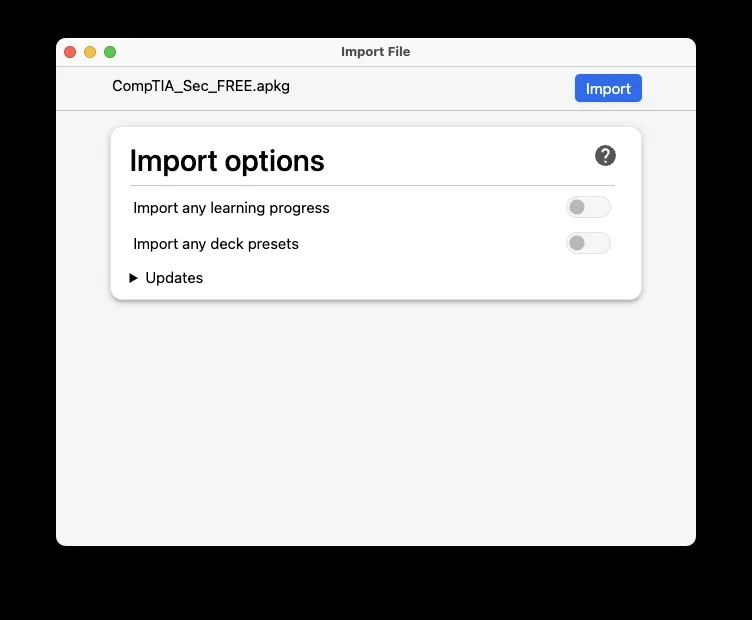
- A new window opens. Click Import.
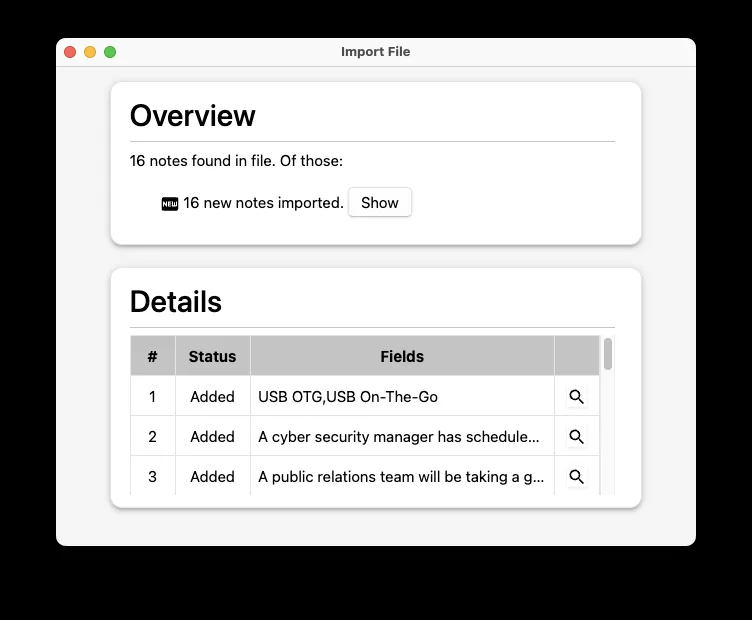
- Anki confirms how many cards arrived.
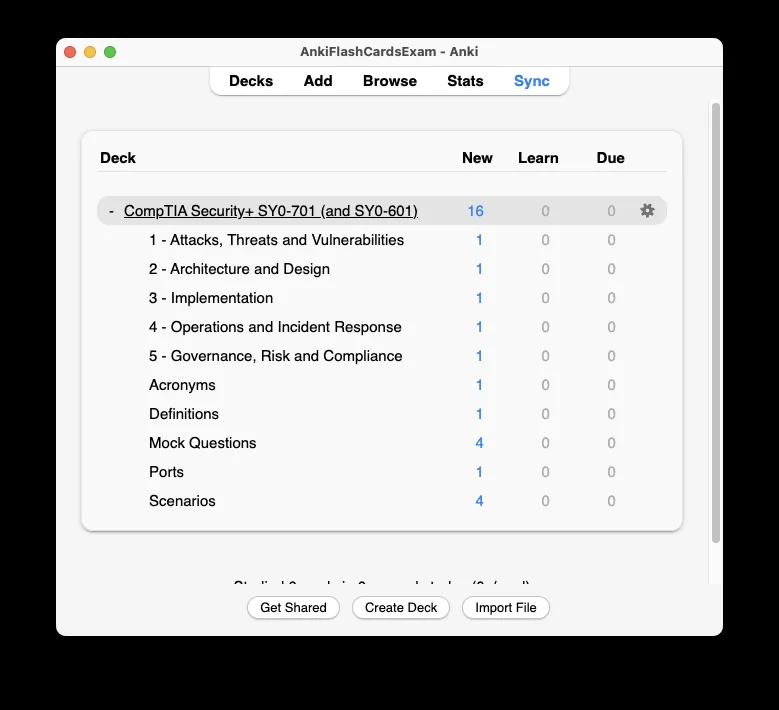
- Click the deck and start your learning journey.
Option 2: import from inside the app
Use this if double-clicking the file does nothing.
- Open Anki from your Applications folder.

- Click Import.
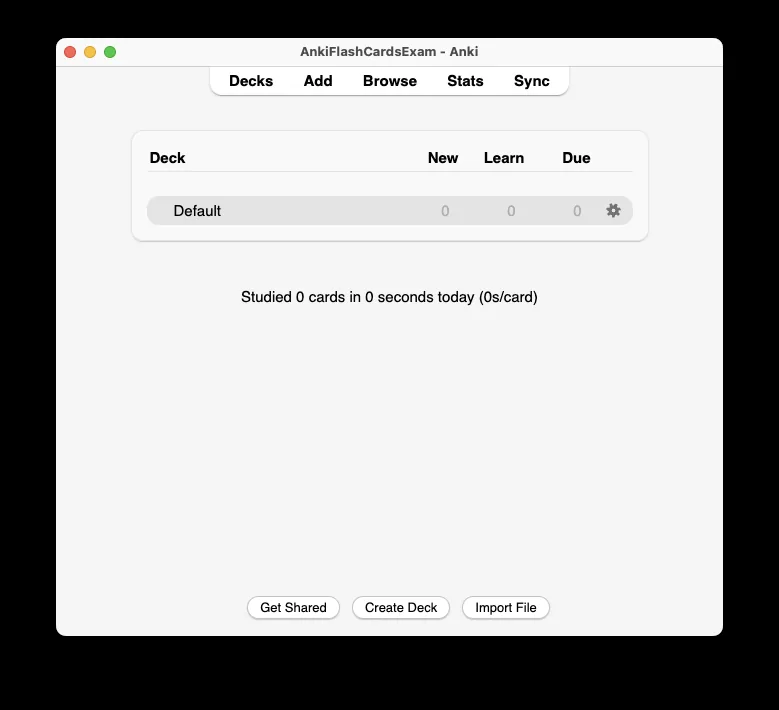
- Select the .apkg file and click Open.
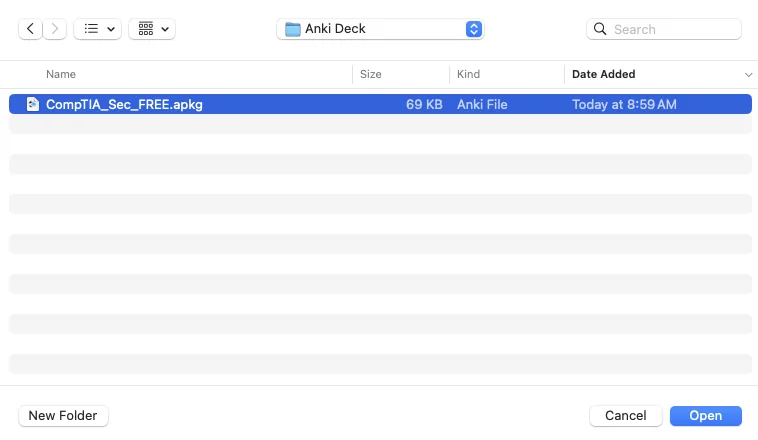
- Click Import to confirm, then pick the deck and start.
Import the flashcards on your iPhone or Android
Instructions
- Open SuperMCard and tap Retrieve Memory Bank.
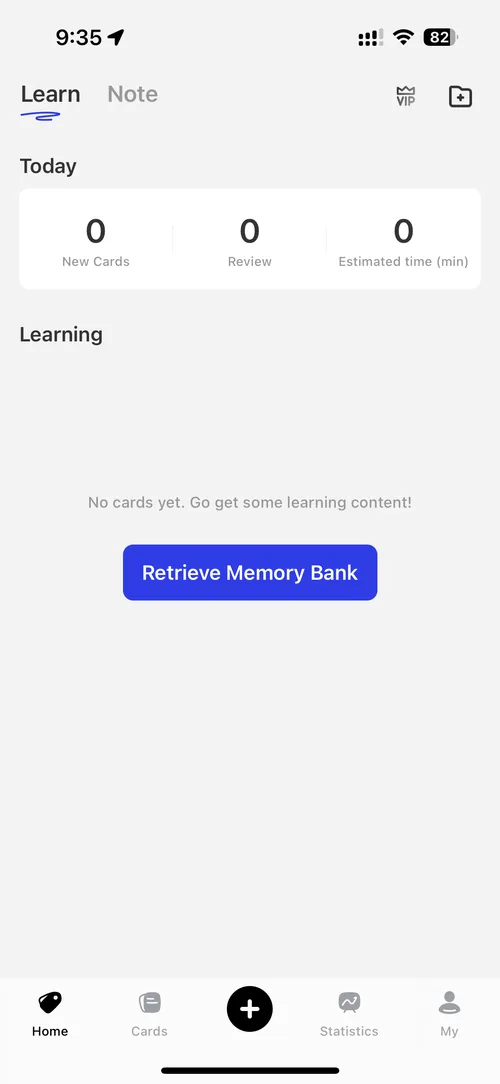
- Tap Local File Import.
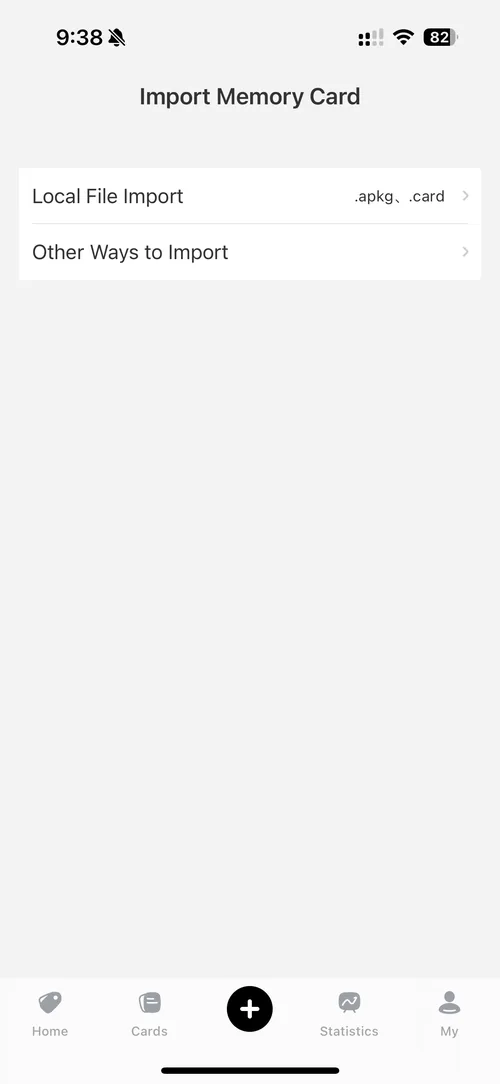
- Find the folder you saved the .apkg file to and tap the file.
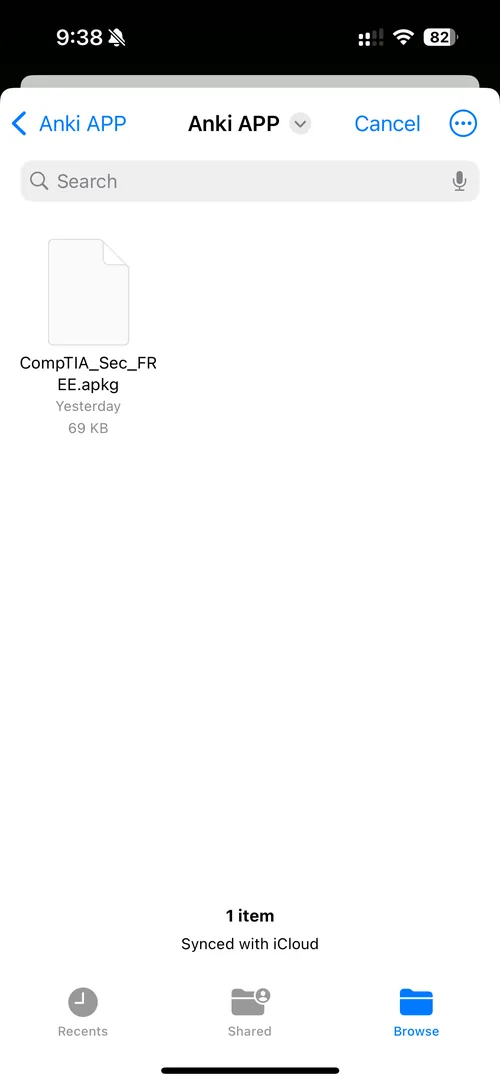
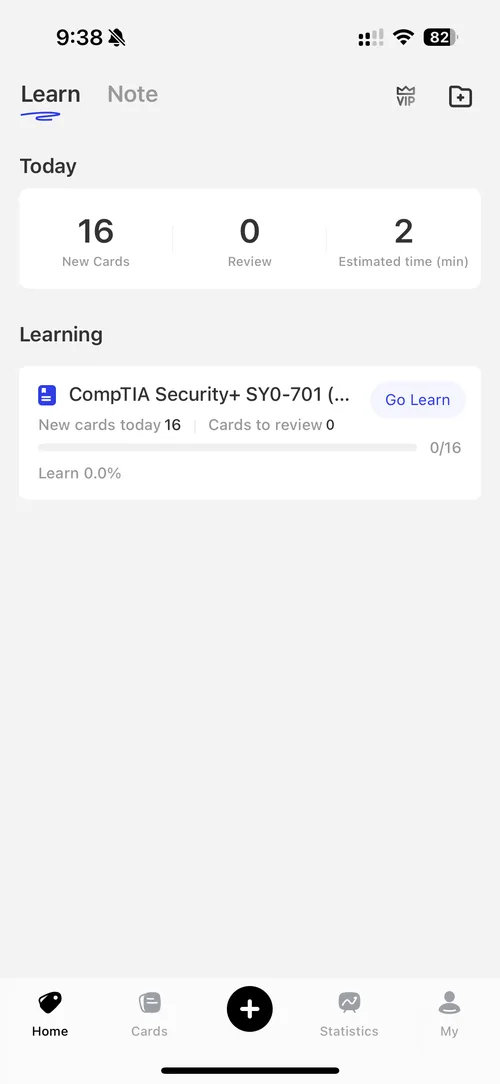
- The import takes a few seconds. Go back to Home and tap
Go Learn.
Is Anki free to use?
Yes on Mac, Windows, Linux and Android, and free in any browser through AnkiWeb. On iPhone and iPad, SuperMCard is free. The official AnkiMobile app is a one-off $24.99 purchase from Anki. There is no subscription either way, and syncing between devices costs nothing.
Do I need any special software?
Only the Anki app, available on Mac, Windows, iPhone, iPad and Android. Get it from apps.ankiweb.net, or SuperMCard on the App Store. Nothing else is required.
Will the deck work on both Mac and iPhone or iPad?
Yes. The .apkg format is universal and works on all devices. Import it on whichever device you use, and sync through a free AnkiWeb account to move between them.
Do I need an AnkiWeb account?
No, not to study offline. An account is free and optional, and worth setting up for backup and for using the deck across more than one device.
Can I edit or customise the cards?
Yes. Add, delete or rewrite any card directly in Anki. You can also change the layout with Anki's card templates and add your own images or audio.
Can I print the flashcards?
No. The decks are designed for use inside the Anki app, which has no direct print option. The format is built for spaced repetition on screen rather than on paper.
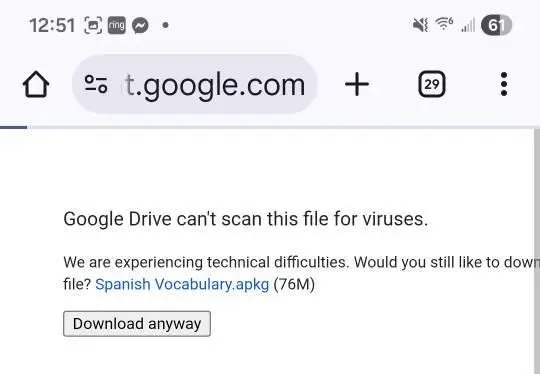
Google Drive says it cannot scan the file for viruses.
That is a warning, not an error, and it appears on any file too large for Drive to scan. Click Download anyway, then import the file as described above.
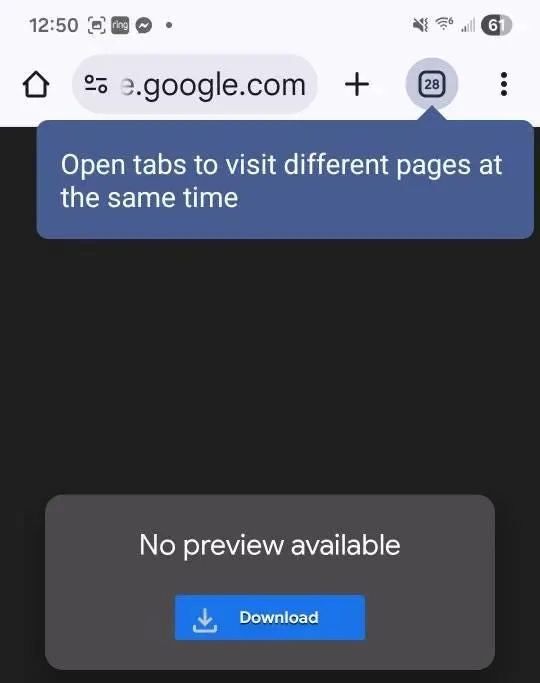
My browser says no preview is available.
Also expected. A .apkg file is a deck, not a document, so there is nothing to preview. Click Download, then import it into Anki.


Hi there
Thank you for downloading the flashcards. If anything is unclear, tell me and I will fix it. Feedback is what keeps these decks sharp.
Still stuck
Reply to your delivery email and tell me what you are seeing. I usually answer within a few hours.
Browse the decks Contact